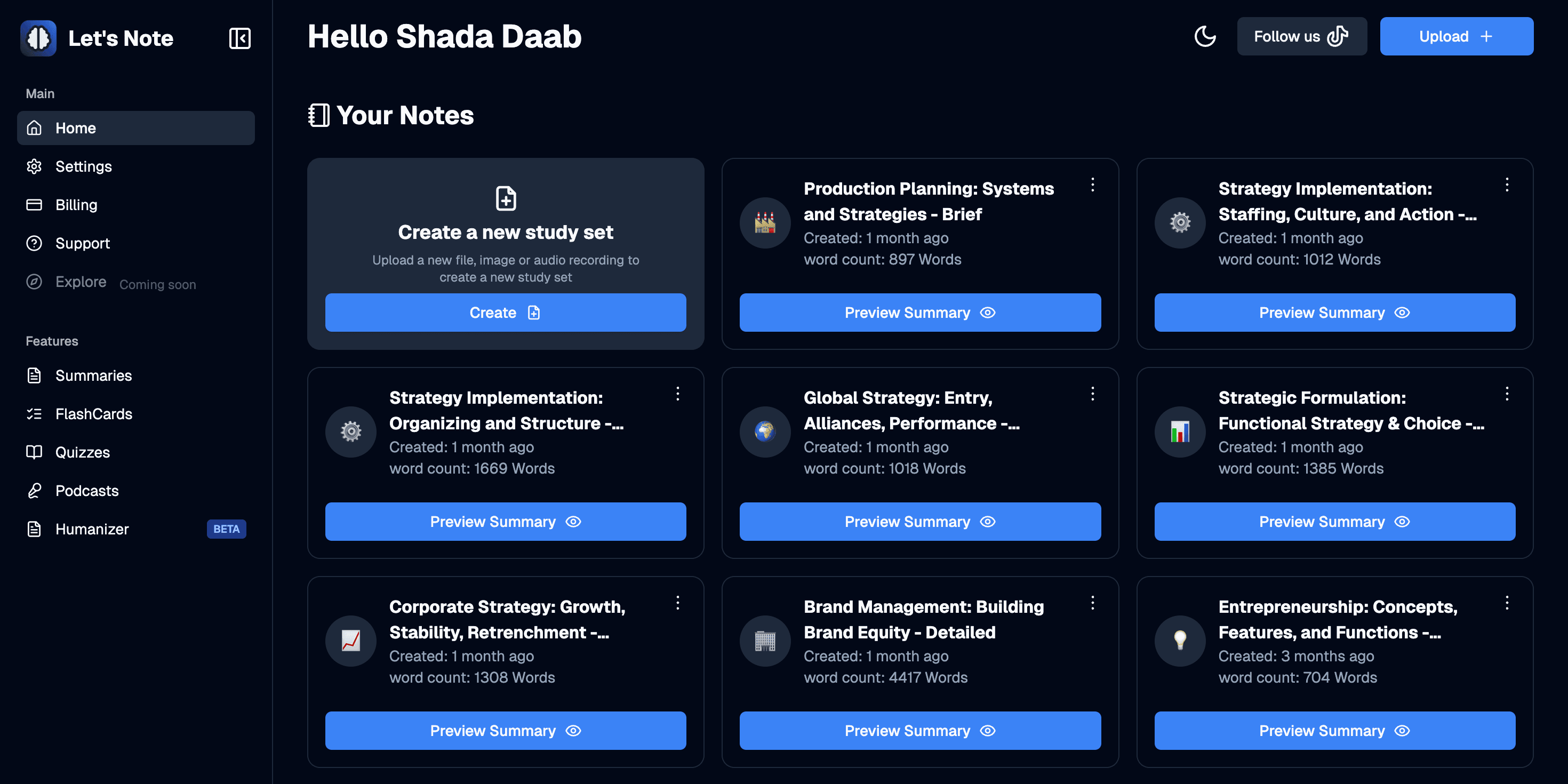
Study tools handle one piece. Students need the whole pipeline.
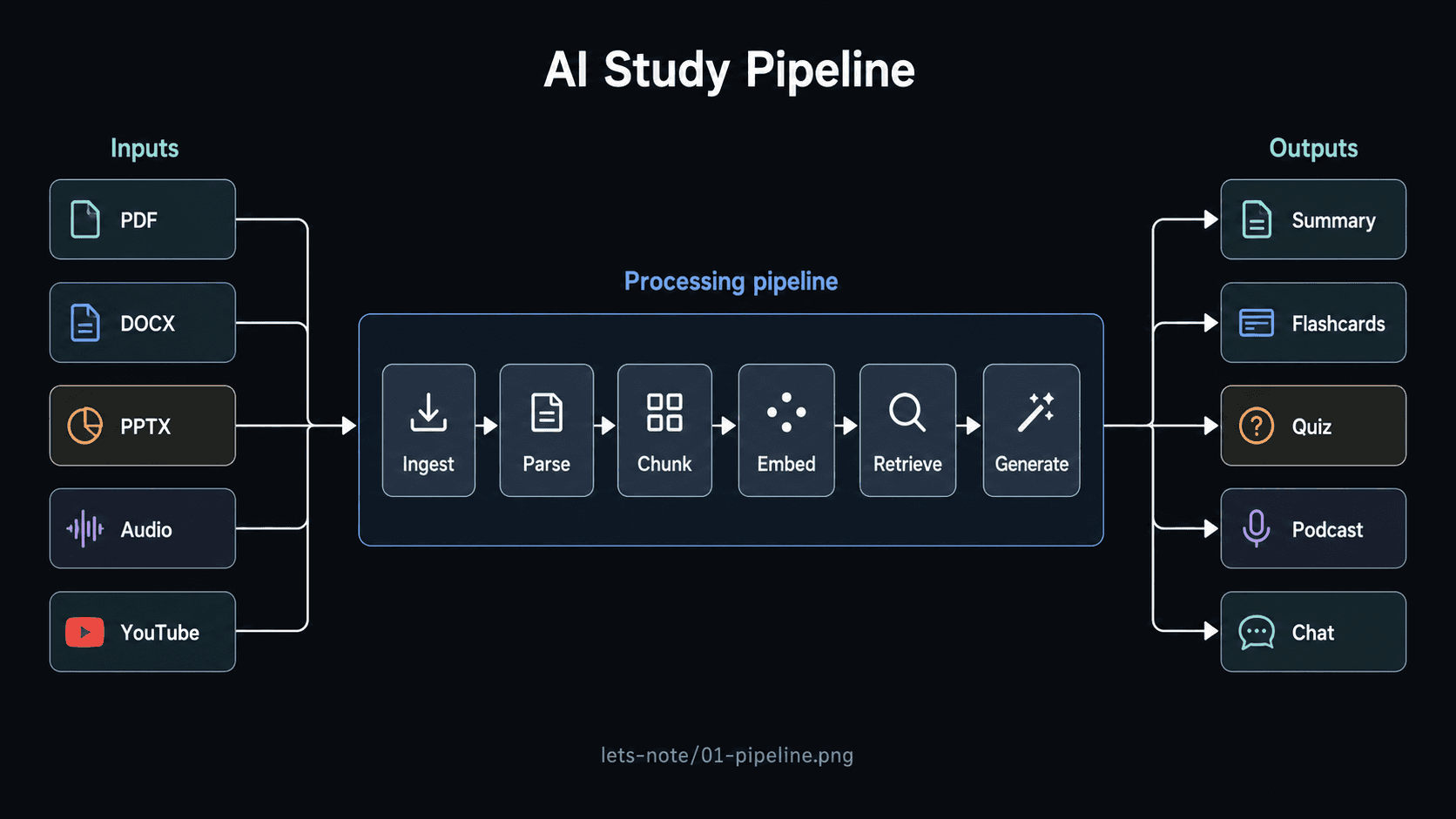
Students juggle a dozen tabs: one app transcribes audio, another summarizes, a third makes flashcards, a fourth turns them into quizzes. Each one re-uploads the same source. Each one forgets context the moment you switch. I wanted a single workspace where uploading once unlocks everything — summary, flashcards, quiz, podcast, chat — all grounded in the same material.
- Lectures (MP3/AAC/ALAC) → transcript via AssemblyAI, then summary.
- Documents (PDF, DOCX, PPTX) → text extraction → study artifacts.
- YouTube links → captions → searchable knowledge base.
Picking the language that wouldn't fight me at scale.
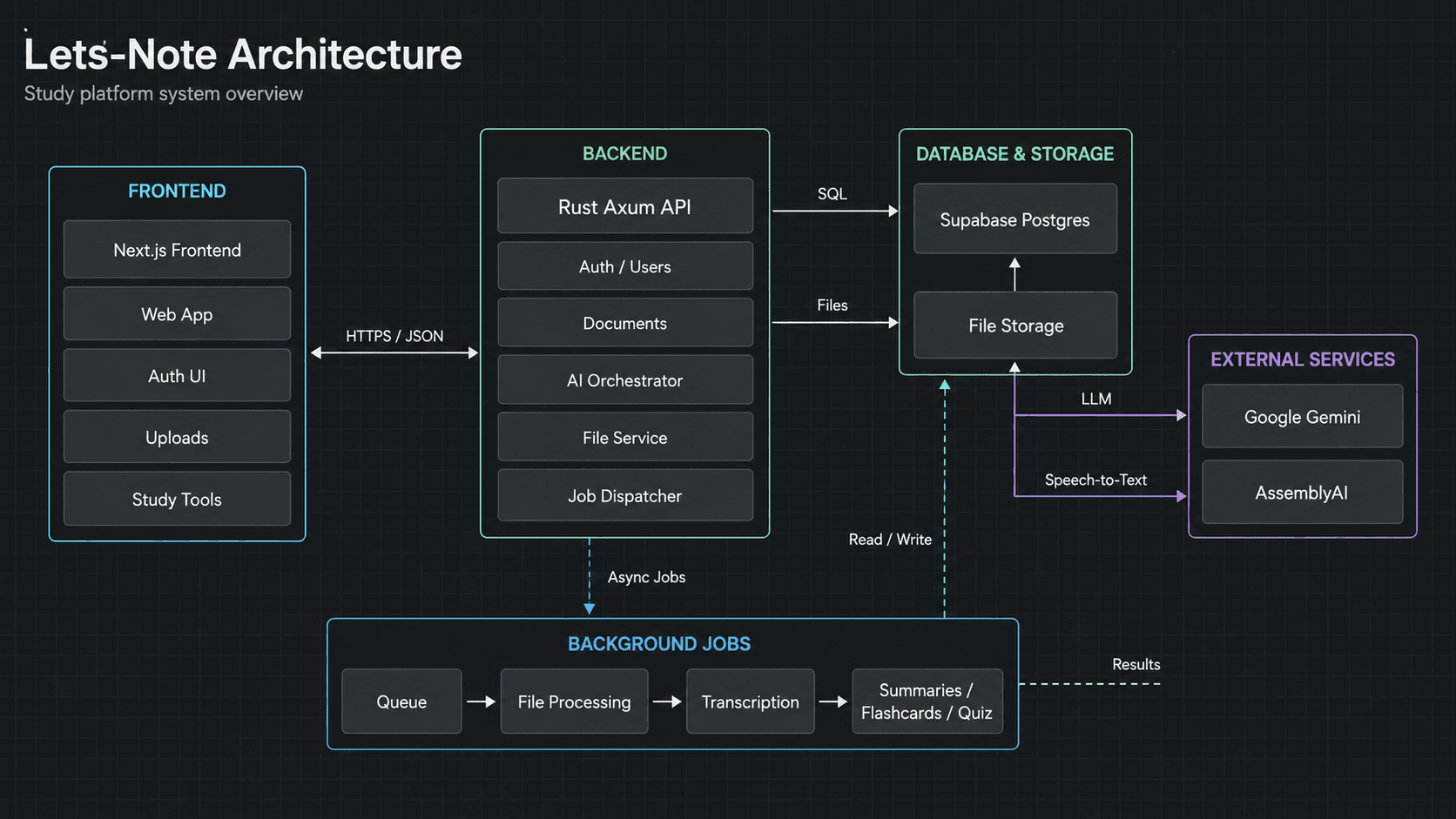
Most edtech AI tools are built on Python or Node. I picked Rust + Axum because the workload is mostly file ingest, LLM streaming, and concurrent background jobs — exactly where Rust's typed-channels, ownership rules, and predictable latency pay off. SeaORM gives me Postgres without a runtime overhead. The whole API runs on a 5–10 connection pool and Tokio's full async runtime.
“Most edtech AI tools are built on Python or Node.”
- Axum 0.7 + Tower middleware for routing and JWT auth.
- SeaORM 1.1 over Supabase Postgres — entities for users, lectures, materials, decks, flashcards, quizzes, usage.
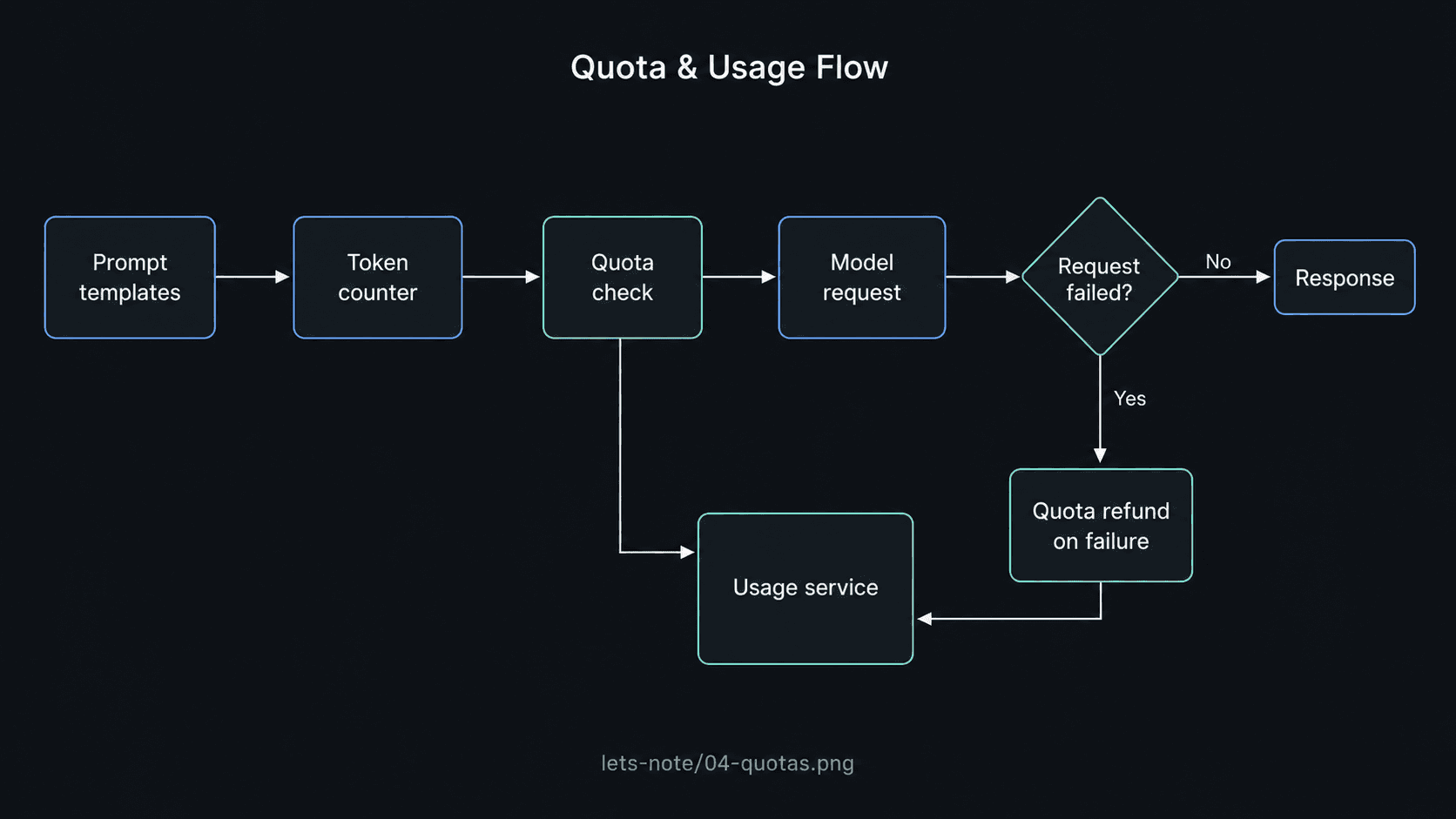
- tiktoken-rs to count tokens before sending — usage limits enforced server-side per user.
- Sentry + structured tracing for production observability.
Six input formats, one consistent contract.
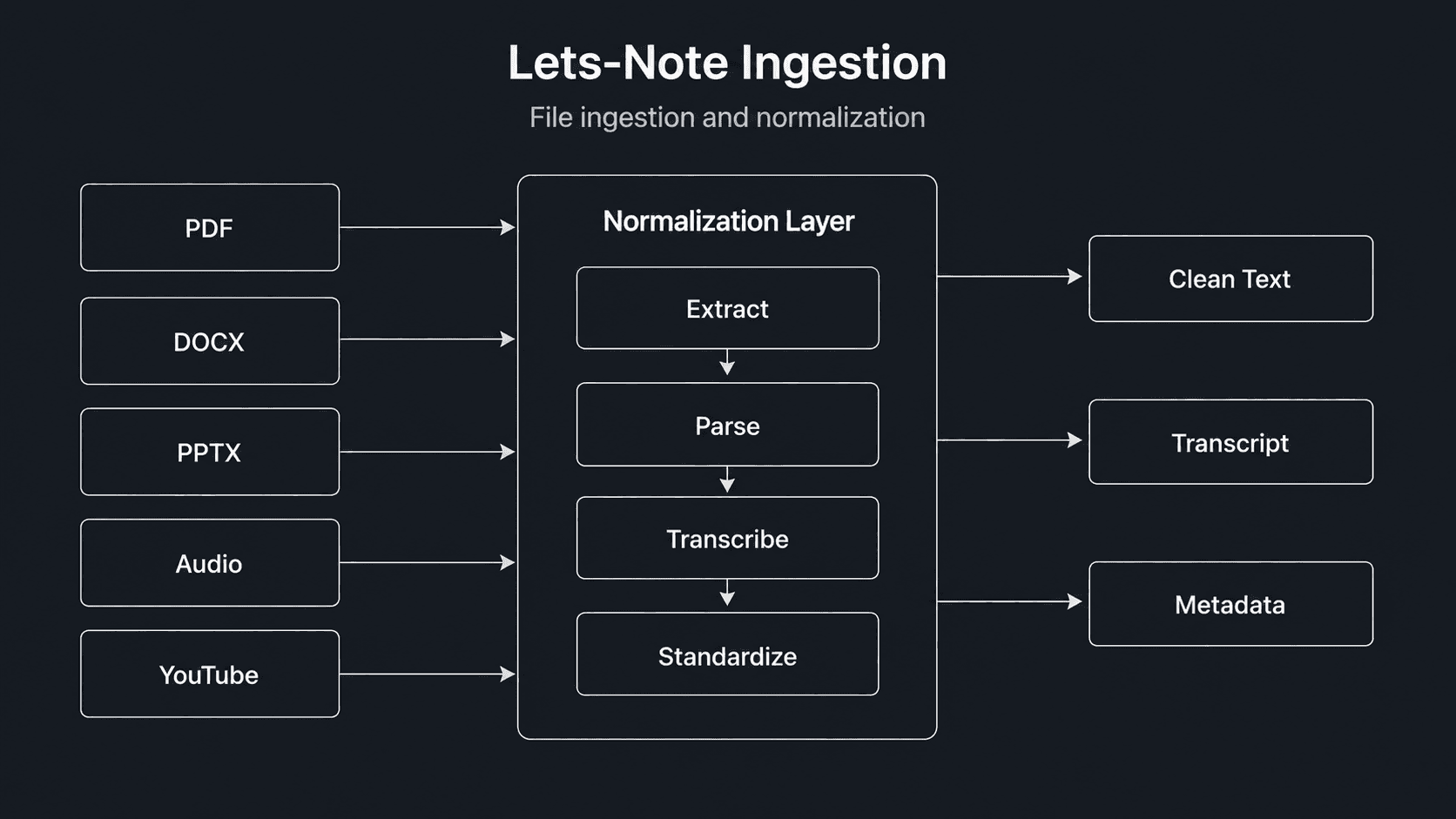
Every format is its own world. DOCX is XML in a zip. PPTX is XML in a different zip. PDFs are pretending to be documents. Audio files are bytes. YouTube transcripts come via a sidecar Python script. I built a single Rust file-processing layer (`utils/files_processing.rs`) that normalizes all of them into a clean text stream before anything AI-related runs — so the prompt logic downstream never has to care about the source.
- DOCX via `docx-rs`, PPTX via `quick-xml`, PDF via `lopdf`.
- Audio decoded with `symphonia` (MP3/AAC/ALAC), transcribed via AssemblyAI.
- YouTube transcripts fetched via a small Python helper, called from Rust.
- All sources funneled into the same `LectureMaterial` table — chat, flashcards, quiz all read from the same store.
Quota-aware prompt design.
LLM cost is the silent killer in edtech. I made every prompt template explicit (stored in `/prompts/`), counted every outgoing token with tiktoken-rs, and enforced per-user quotas in the `UsageService` before the model was even called. Members get unlimited; free users get a budget. Failed generations refund the quota.
“LLM cost is the silent killer in edtech.”
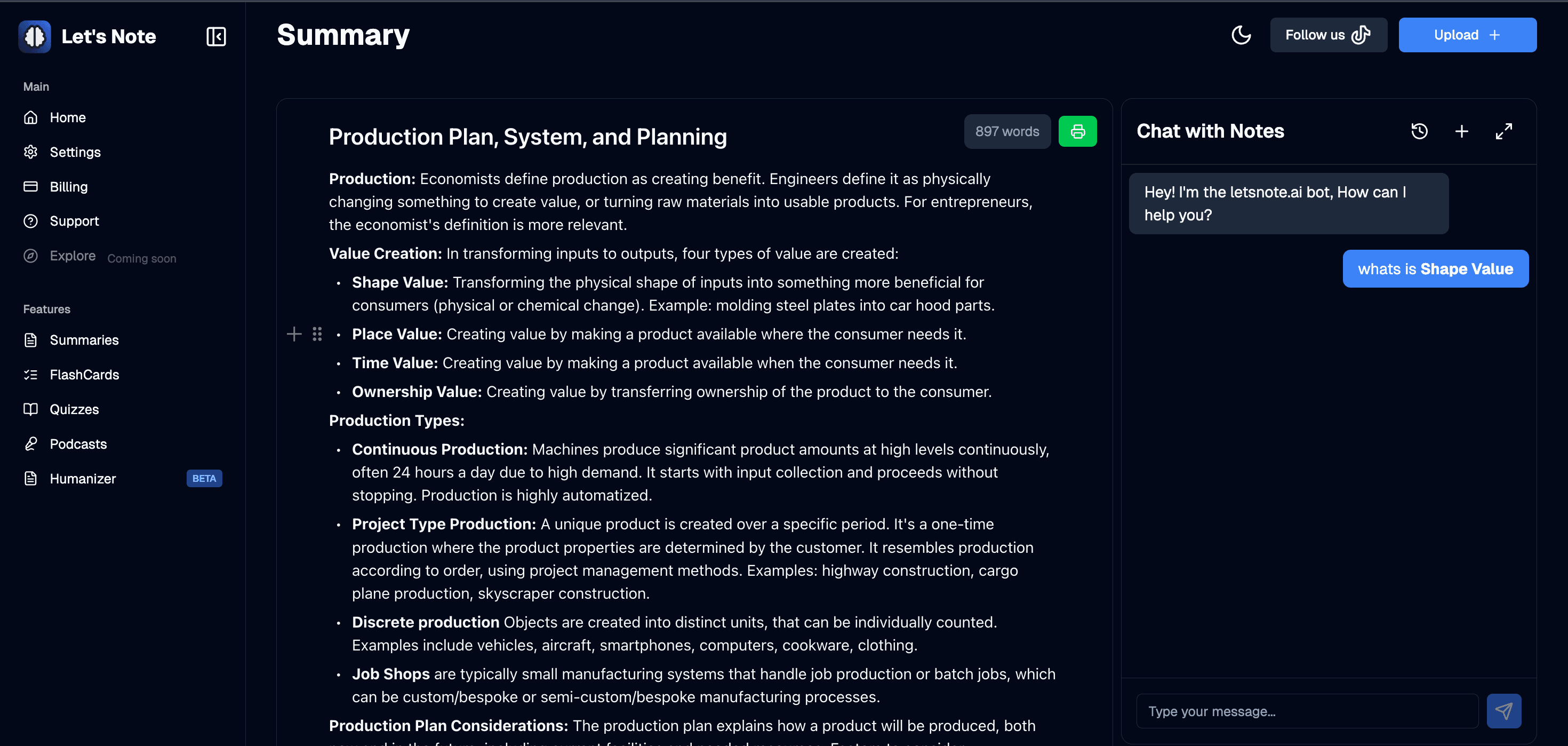
Next.js 15 + BlockNote + Tiptap, designed in-house.
The frontend is Next.js 15 / React 19 with BlockNote and Tiptap for rich editing, a PDF viewer for source-of-truth, and audio recording/playback so students can capture lectures in-app. I designed every screen myself — the empty states, the streaming chat, the flashcard reveal animation. The product had to feel like a calm study desk, not another AI demo.
- BlockNote + Tiptap-markdown for the note editor.
- Streaming chat replies (Vercel AI SDK, Google Gemini provider).
- Stripe + Paddle for billing, Supabase SSR for auth.
- PostHog for product analytics, Sentry for error tracking on both ends.
built by one person · case study written by the same person